Cron
Scheduled agent jobs — viewing, running, pausing, and deleting from the dashboard.
A cron job is a saved prompt (or script) that the gateway’s ticker
dispatches on a schedule, as if you’d typed it into chat yourself. Jobs
live in ~/.aios/cron/jobs.json; each run’s output is archived to
~/.aios/cron/output/<job id>/<timestamp>.md.
Web UI → Cron (Automate section)
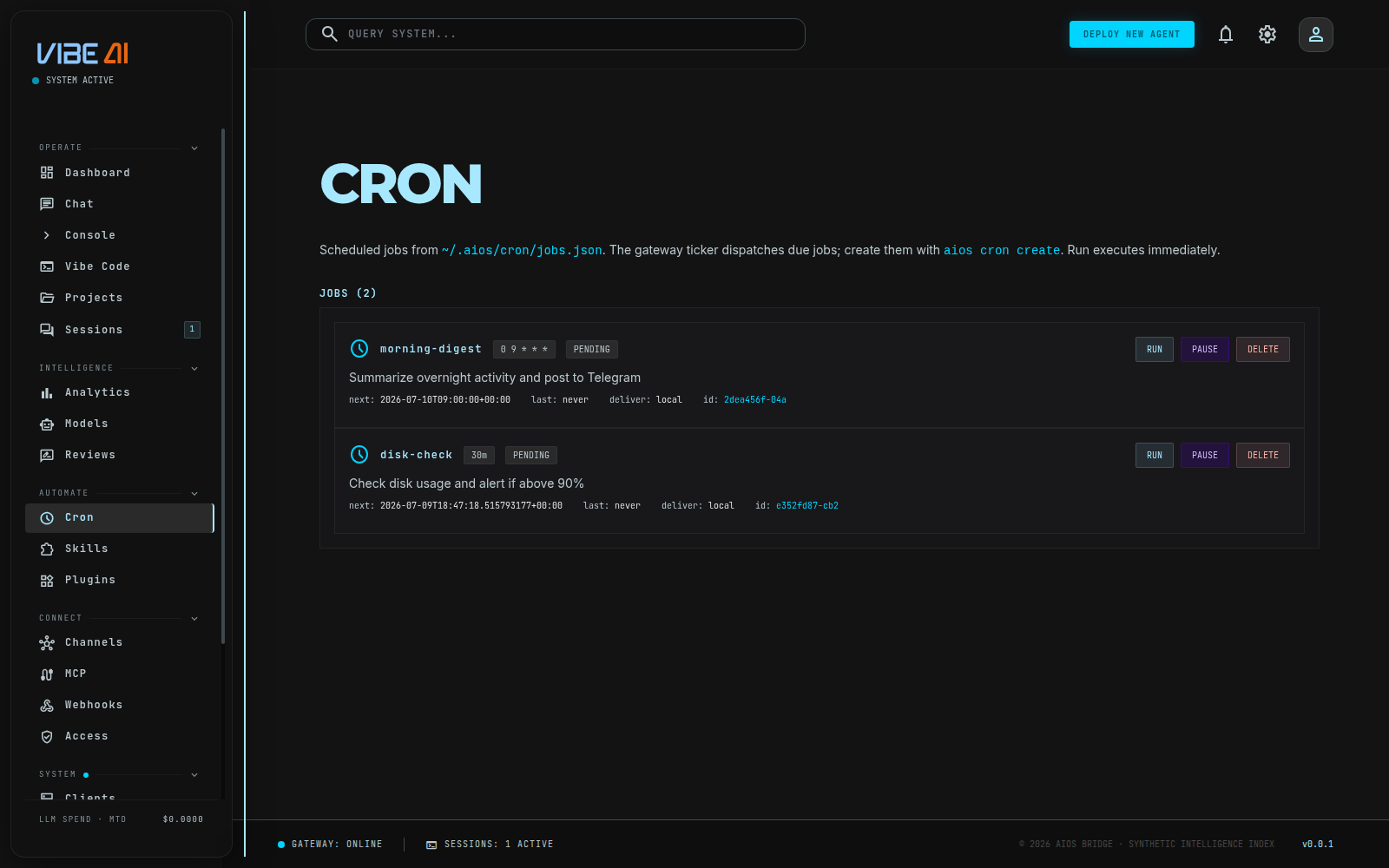
The Cron page lists every job — enabled and disabled — as a card: name,
schedule, status badge (pending / ok / error / paused /
disabled / completed), next/last run time, delivery target, and job
ID. Three actions per card:
- Run — executes the job immediately, in a real agent turn (can take a while for anything non-trivial); the response streams into the card when it finishes.
- Pause / Resume — toggles
enabledwithout deleting the job. - Delete — removes it from the store outright.
Creating and editing a job is CLI-only — there is no “+ New Job” form
on this page yet. The page tells you as much inline: aios cron create --schedule "30m" "your task".
What a job actually is
A job’s real fields (from the aios-cron store): name, prompt (the
task instruction — optional if script is set), schedule, skills
(skill names to load for that run), model/provider/base_url
overrides, script (a path under ~/.aios/scripts/ to run instead of
or alongside the agent), no_agent (skip the agent entirely — the
script is the job), context_from (inject another job’s latest
output as context), deliver (local, or telegram:<chat_id>, …),
and a repeat count (omit for “forever”).
aios cron create --schedule "30m" "check disk usage and alert if >90%"
aios cron create --schedule "0 9 * * *" --name "morning-digest" "summarize overnight activity" --deliver telegram:123456
--schedule accepts an interval ("30m", "every 2h") or a
standard 5/6-field cron expression. Omitting --schedule or the
prompt drops into an interactive prompt.
Open Cron — the new card appears with its computed next_run_at.
Use Run to test it without waiting for the schedule.
Pause/Resume/Delete from the card, or the CLI equivalents:
aios cron pause|resume|remove <job-id>.
Run history / logs
The dashboard does not expose run history or archived output — only
the last run’s status, timestamp, and error (if any) on the card,
plus whatever a manual Run streams back live. Full history sits
on disk at ~/.aios/cron/output/<job id>/*.md (one file per run,
newest timestamp last) with no UI to browse it; read the files
directly, or cat the latest one, until a history view ships.
aios cron status prints scheduler-level state (ticker running,
counts) from the CLI, not per-run logs.