Projects
Document folders agents research — retrieval, model policy, time machine, subdomains.
A project is a folder of documents (/root/.aios/projects/<name>)
that agents consult when solving problems. Projects are shared across all
agents on the box.
Create and fill
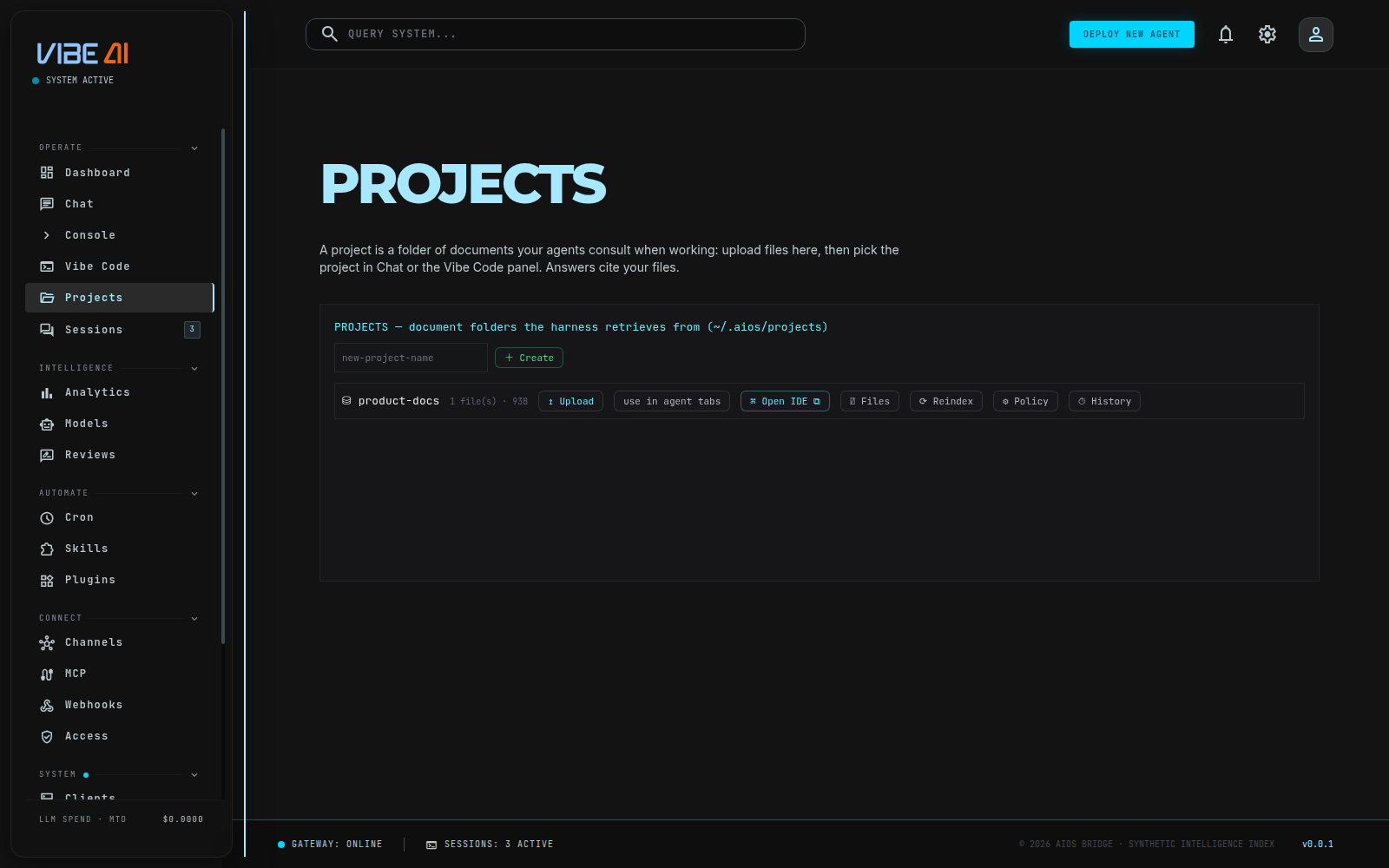
Vibe Code panel → ⛁ Projects tab: create, upload files, see contents. Or just drop files into the folder — retrieval sees edits immediately.
Using a project
- Panel: pick the project in the toolbar selector; every agent-tab message now carries it.
- CLI:
aios -p "question" --project <name>.
The harness retrieves the most relevant excerpts (embedding-ranked, packed under a context budget, cited by filename) and injects them into the turn. The agent answers from your documents and names its sources.
Per-project model policy
.project.yaml inside the project (editable via ⛁ Projects → ⚙ Policy):
models:
  start: claude-haiku-4-5    # routine turns
  hard: claude-opus-4-8      # frontier/escalated turns
  review: claude-opus-4-8    # peer-review passes
Routing still decides which tier a turn needs; the project decides which
model serves that tier. Review passes: aios -p ... --project X --role review.
Multi-agent transparency
Every project keeps a journal (.journal.jsonl) of each agent’s requests
and responses. Recent activity is injected into every project turn, so
agents working the same project stay consistent with each other.
Time machine
Every project is an auto-managed local git repo: snapshots on create, upload, delete, and config changes. ⏱ History shows snapshots; restore travels to any point — recorded as a new snapshot, so you can travel forward again and nothing is ever lost.
Vector index
Retrieval uses a persistent embedded index (refreshed incrementally on file changes). Optionally back a project with a Chroma server:
vector:
  backend: chroma
  chroma_url: http://127.0.0.1:8800
If Chroma is ever down, retrieval falls back to the embedded index — a project never breaks because its vector DB did.
Publish to a subdomain
⛁ Projects → assign a subdomain: the project folder is served at
<sub>.<apex> (static hosting, dotfiles blocked, wildcard cert). Reserved
names are refused and nginx is config-tested before reload.