Logs
Recent journal lines for any AIOS service, straight from journalctl.
Web UI → Logs (System section) shows recent journalctl output for
one AIOS systemd unit at a time, via GET /api/logs.
What’s on the page
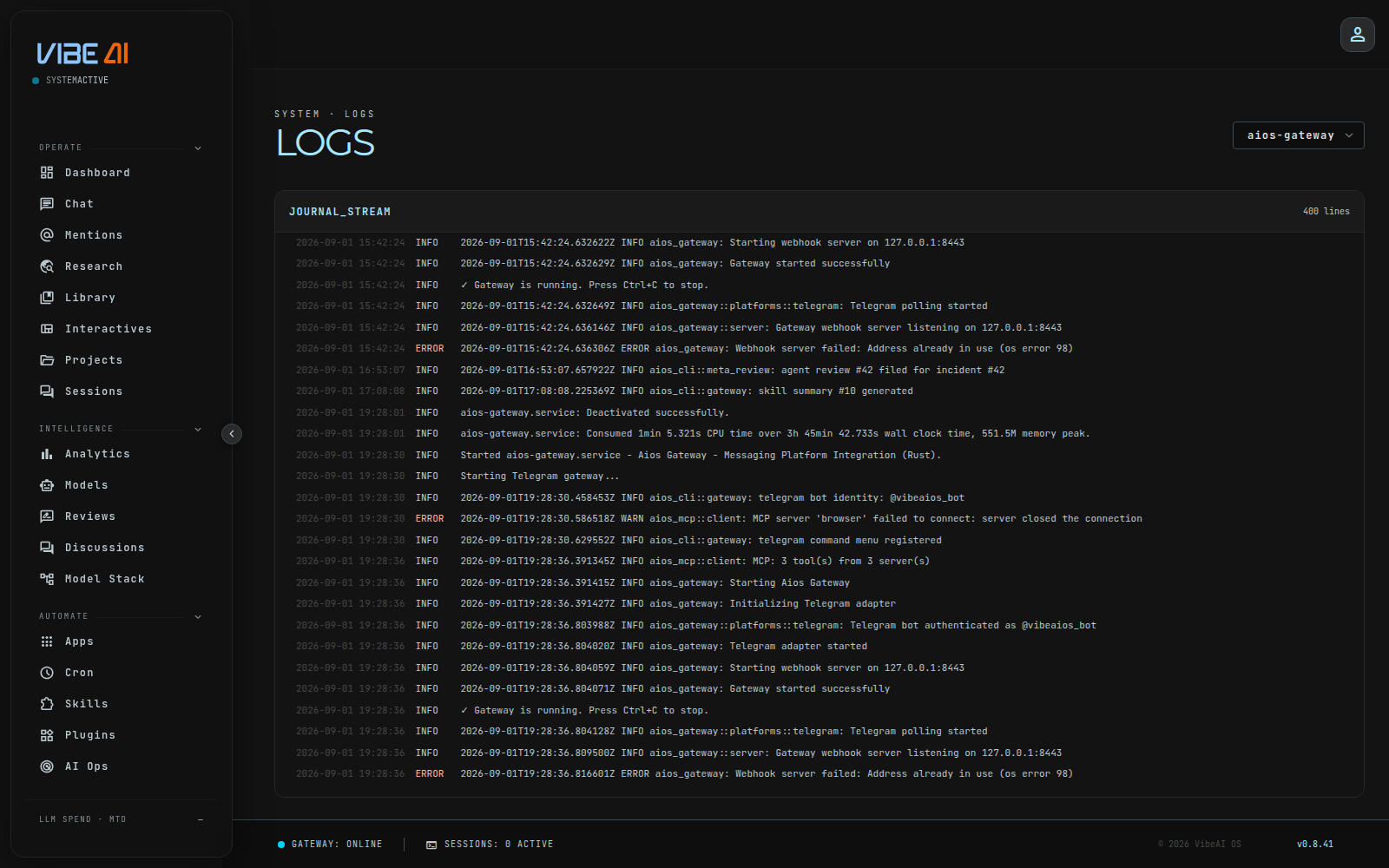
A component dropdown and a scrollable log body. Picking a component re-fetches and re-renders; there’s no other control.
- Component selector — populated from the
unitslist the API itself returns (currentlyaios-gateway,aios-dashboard,aios-swarm), defaulting toaios-gateway. - Log body — the 400 most recent lines for the selected unit, rendered as timestamp / level badge / message rows, auto-scrolled to the bottom. The line count fetched is fixed at 400 — there’s no control to request more or fewer.
Each line’s level (error / warn / info, colored red / amber /
neutral) is inferred client-side-adjacent, from the log message text:
error/failed/panic → error, warn → warn, otherwise info. This is
a heuristic on the message string, not a real log level from the service.
The API endpoint (/api/logs?component=<unit>&lines=<n>) accepts a
lines parameter up to 2000, but the page itself always requests 400 —
there’s no line-count field in the UI to change that.
What it doesn’t do
- No live tail — this is a one-shot fetch on page load or on component change, not a streaming/auto-refreshing view. Switch components or reload the page to get fresher lines.
- No search or filter box — the only way to narrow what you see is the component dropdown; there’s no text search across log lines.
- No time-range selection — you always get “the most recent lines,” not “lines since a timestamp.”
- Unit whitelist only — the API rejects any
componentvalue outside the three units above with400 unknown component, so this can never be turned into arbitrary journal access.
For a continuously streaming view instead, use journalctl -u aios-gateway -f from the shell.