Sessions
Every conversation transcript across every channel, plus the append-only intent ledger.
Web UI → Sessions lists every conversation transcript — chat, console,
Telegram, CLI — in one place, backed by /api/sessions and
/api/sessions/stats.
Stats strip
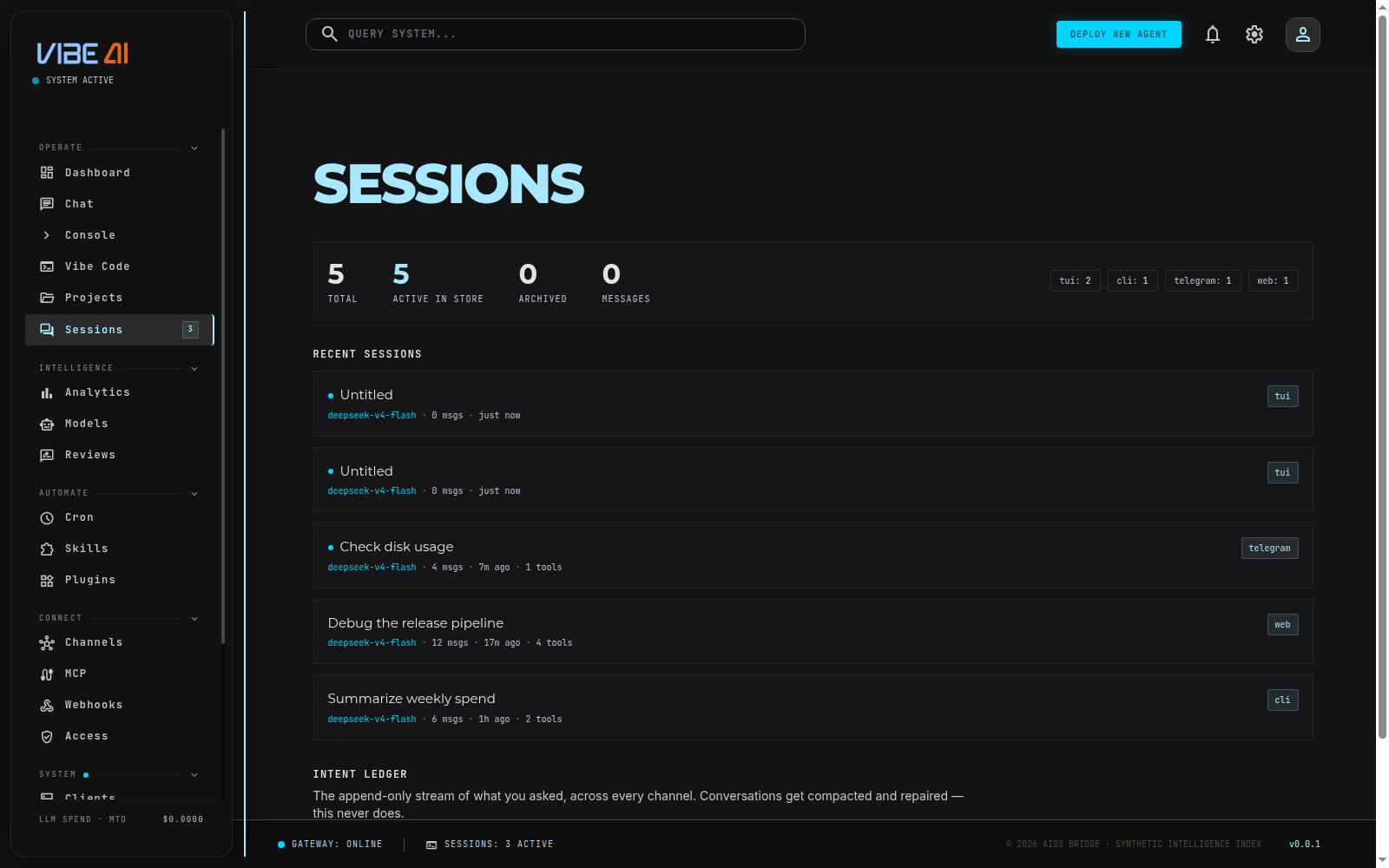
Four numbers from /api/sessions/stats: total sessions, active-in-store,
archived, and total messages, plus a row of chips breaking sessions down
by source (chat, telegram, cli, …) with counts per source.
Recent sessions
Each row shows title (or a preview snippet if untitled), a live-active
dot, model, message count, tool-call count, time since last activity, and
source badge. Data comes straight from /api/sessions — nothing here is
synthesized.
Intent ledger
Below the session list, INTENT_LEDGER renders /api/intents — the
append-only stream of every prompt you’ve sent, across every channel, with
timestamp and source. Unlike session transcripts (which get compacted and
repaired over time), the ledger never rewrites history: it’s the raw
record of what was asked, used by chat’s REALIGN to
rebuild a session’s context.
To actually talk inside a session or switch between agents mid-task, use Chat, Console, or the Vibe Code panel — Sessions is a read-only index over what already happened, not a place to continue a conversation.